Multi-Site Construction Needs a Better Maintenance Plan
Preventive maintenance (PPM) in multi-site construction isn’t just about keeping the lights on. It’s about avoiding costly project delays, unexpected breakdowns, and compliance nightmares. Yet, too many contractors rely on fragmented systems — Excel files here, WhatsApp messages there, and approvals that take days. Sound familiar?
The result? Missed inspections, equipment downtime, and compliance penalties. It’s not just frustrating; it’s expensive.
We’ve worked with contractors managing operations across sites in India and the GCC. One common theme? A lack of a unified approach to preventive maintenance scheduling. Let’s fix that.
Start With a Template That Fits Your Operations
A good PPM schedule template doesn’t need to be fancy, but it does need to be practical. Here’s the basic structure:
Columns You Need
- Asset Name: What are you maintaining? (Excavator, generator, HVAC unit, etc.)
- Location: Which site is this asset assigned to?
- Maintenance Type: Is it a routine check, a minor service, or a major overhaul?
- Frequency: Monthly, quarterly, annually?
- Last Service Date: When was it last done?
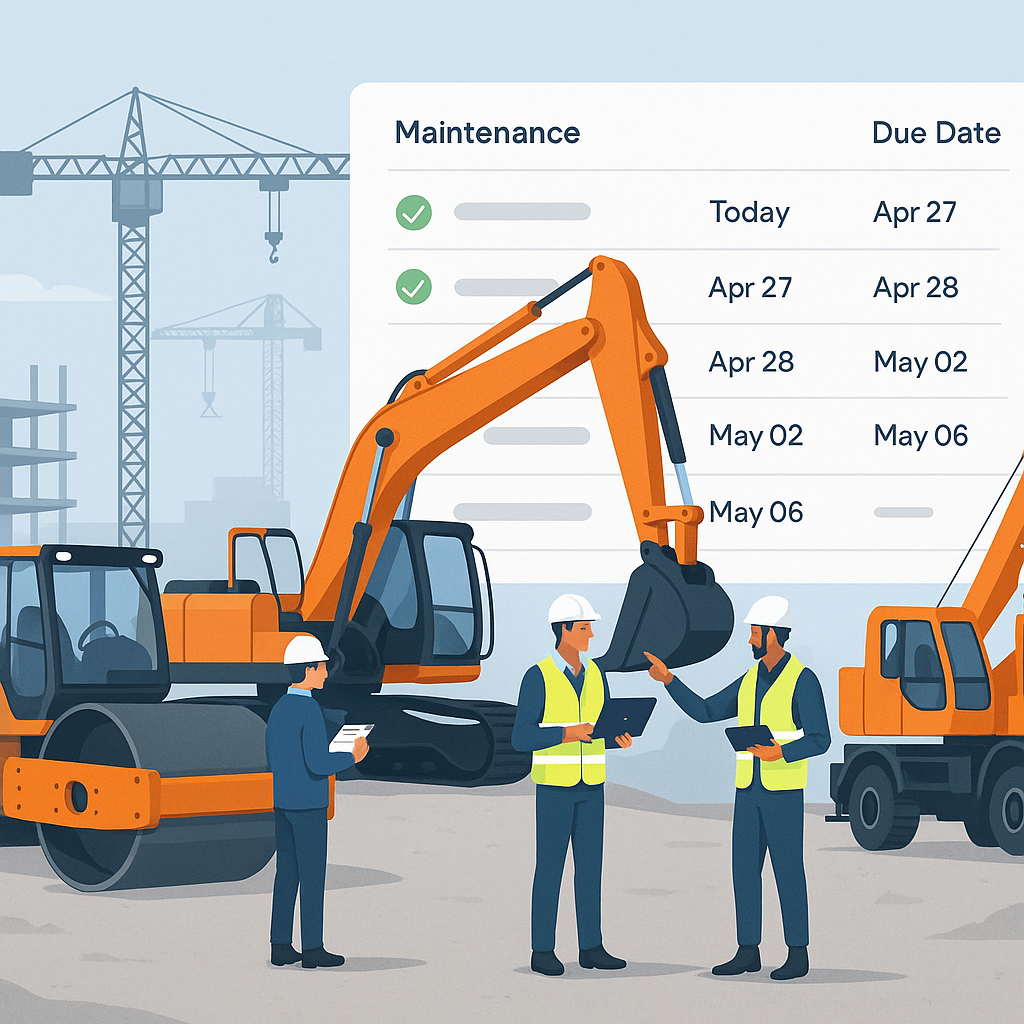
- Next Due Date: When’s the next scheduled maintenance?
- Responsible Person: Who’s accountable for getting it done?
- Approval Status: Is the work approved or pending?
Illustrative Example
| Asset Name | Location | Maintenance Type | Frequency | Last Service Date | Next Due Date | Responsible Person | Approval Status |
|---|---|---|---|---|---|---|---|
| Excavator 1 | Site A | Minor Service | Quarterly | 2023-08-15 | 2023-11-15 | Rajesh Singh | Approved |
| Generator 3 | Site B | Routine Check | Monthly | 2023-09-01 | 2023-10-01 | Ahmed Khan | Pending |
Why This Matters
- Accountability: The structure forces field teams to assign responsibility, ensuring no task is overlooked.
- Visibility: A clear snapshot of overdue tasks across all sites helps managers prioritize and allocate resources.
- Simplicity: It’s not tied to complex systems, which makes it easy for teams to adopt even without prior training.
Tips for Implementation
- Standardize the Template Across Sites: Avoid using different formats for different locations. A unified template ensures consistency and reduces confusion.
- Train Your Team: Even a simple template can be ineffective if your team doesn’t know how to use it. Dedicate a few hours to training site managers and supervisors.
- Print and Display: For teams that aren’t always online, print and display the schedule at on-site offices to keep everyone in the loop.
The Problem With Excel (And How to Fix It)
Excel is a great starting point, but it struggles once your operations scale. Here’s why:
Limitations of Excel
- Manual Updates Often Fail: Site managers forget to update the sheet, or worse, they create conflicting versions.
- Lack of Notifications: Missing a preventive maintenance deadline doesn’t trigger any alerts, leaving you vulnerable to oversight.
- Siloed Information: Maintenance data in Excel isn’t accessible to other teams. For instance, finance only finds out about delays when repair bills pile up.
Better Alternatives
Many contractors are switching to construction ERPs (Enterprise Resource Planning software) with built-in PPM scheduling. These tools centralize maintenance management, making it easier to:
- Automate reminders for due or overdue tasks.
- Link maintenance schedules directly to equipment lifecycle tracking.
- Ensure real-time visibility for all stakeholders, from site managers to finance teams.
Recommended Tools
One example is ProjectsNext, a construction ERP tailored for multi-site operations. It offers:
- Centralized Workflows: Maintenance schedules, asset history, and approvals all in one place.
- Real-Time Updates: Teams can collaborate without worrying about outdated data.
- Scalability: Unlike Excel, it grows with your operations.
Check out Why Small Contractors Bleed Margins Without Unified ERPs for more insights into the benefits of integrated systems.
Actionable Steps to Transition from Excel
- Audit Your Current Process: Identify gaps in your current Excel-based system (e.g., missed updates, lack of accountability).
- Choose the Right Tool: Look for an ERP that aligns with your specific needs (e.g., asset tracking, automated alerts).
- Start Small: Transition one site or department first to minimize disruption. Use their feedback to refine your approach.
- Integrate Gradually: Sync the ERP with other tools like accounting software or procurement systems for a truly unified workflow.
Common Mistakes to Avoid
1. Ignoring Site-Specific Needs
Not all sites operate the same way. A generator at a remote site might need more frequent checks than one in an urban area. Similarly, environmental factors like heat, dust, or humidity can accelerate wear and tear on equipment.
Fix It: Customize your PPM schedule based on site conditions. For example, adjust the frequency of inspections for assets in extreme environments.
2. Skipping Compliance Tracking
In many regions, preventive maintenance for critical equipment like cranes or lifts isn’t optional. Missing it can result in hefty fines or even project shutdowns.
Fix It: Integrate regulatory requirements into your PPM schedule. Most ERPs allow you to set alerts for compliance-critical tasks.
3. Relying on Memory
If your maintenance plan depends on someone remembering dates, you’re asking for trouble.
Fix It: Automate reminders using software or even basic calendar apps. The key is to take human error out of the equation.
FAQs
Q: How often should I update my PPM schedule?
A: At least monthly. For high-usage equipment or assets in extreme conditions, consider weekly reviews. The goal is to catch potential issues before they escalate.
Q: What if I have hundreds of assets across sites?
A: Use an ERP system that supports bulk imports and real-time updates. For example, ProjectsNext allows you to upload asset data in a single step and generates schedules automatically.
Q: Can I use this for subcontractor equipment?
A: Absolutely. However, ensure that maintenance responsibilities are clearly defined in your subcontractor agreements. Some ERPs allow you to track subcontractor compliance as well.
Q: What metrics should I track for preventive maintenance?
A: Key metrics include:
- On-Time Maintenance Rate: Percentage of tasks completed by their due date.
- Downtime Reduction: Hours of equipment downtime avoided due to preventive maintenance.
- Compliance Rate: Percentage of compliance-critical tasks completed on time.
Q: Do I need to hire dedicated staff for PPM?
A: Not necessarily. Many teams start by assigning PPM responsibilities to existing site managers. As your operations grow, consider hiring a dedicated maintenance coordinator to oversee the process.
Comparison: Excel vs. ERP for Preventive Maintenance
| Feature | Excel | ERP System |
|---|---|---|
| Data Centralization | Manual, prone to silos | Centralized, real-time |
| Automated Alerts | Not available | Built-in |
| Scalability | Poor | Excellent |
| Collaboration | Difficult | Seamless |
| Compliance Tracking | Manual and error-prone | Automated |
Final Thoughts
A PPM schedule template is just the starting point. The real value comes from integrating it with your broader project management processes. If you’re still relying on disconnected tools, it’s time to rethink your approach.
Manual systems, while familiar, can’t keep up with the demands of multi-site operations. A unified ERP system not only streamlines preventive maintenance but also improves overall project efficiency.
If you’re ready to leave PPM chaos behind, ProjectsNext can help. Get started free →
Learn more at JobNext.ai