Purchase Order Format for Construction (Free Excel & PDF)
A ready-to-use purchase order format for a construction company — issue material POs to suppliers with HSN, quantity, rate and auto-calculated amount, GST and grand total. India GST-ready Excel with live formulas, plus a print-ready PDF. Free, editable, no sign-up.
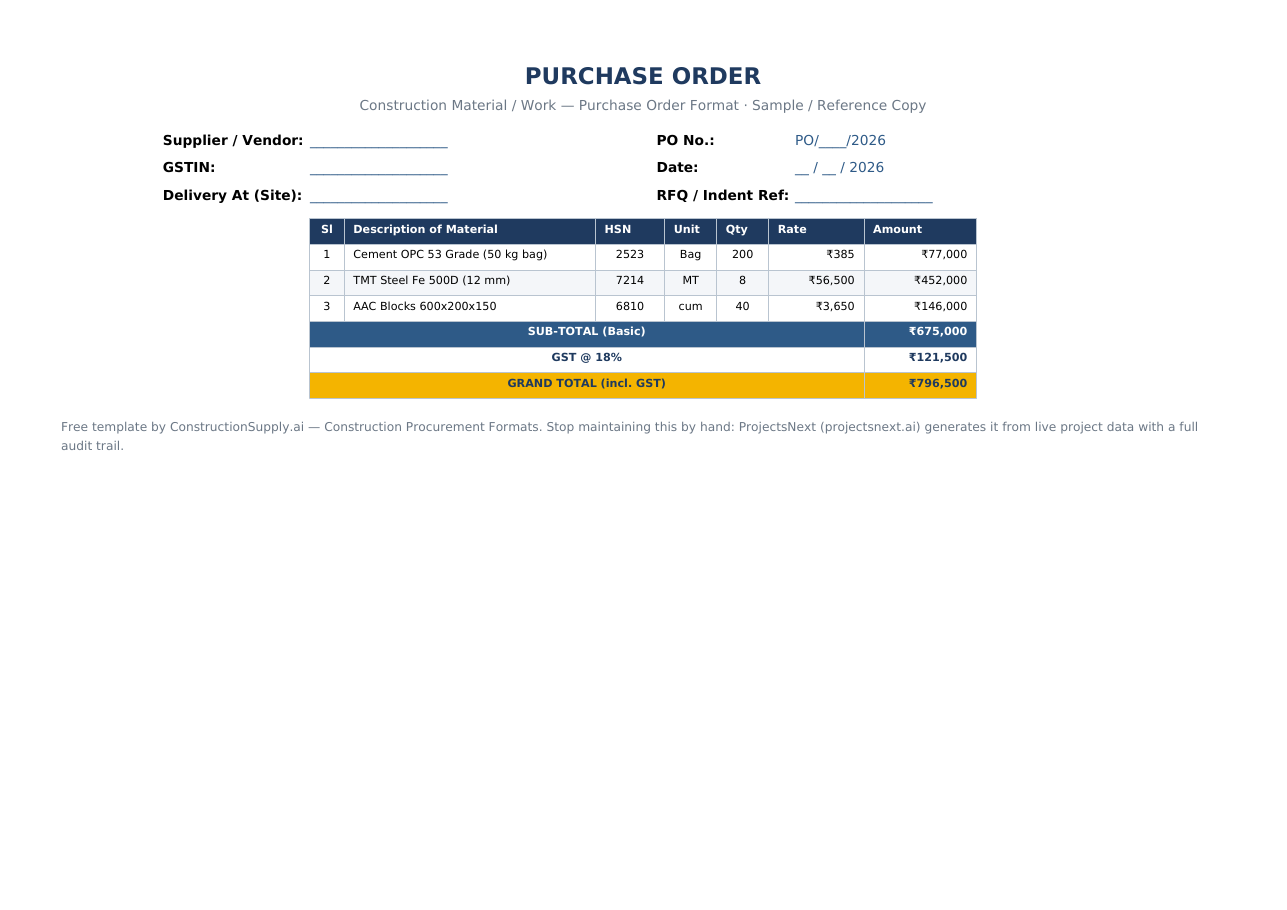
Excel (with formulas) & print-ready PDF. Free & editable, no sign-up.
⬇ Download Excel (.xlsx) ⬇ Download PDFWhat is a purchase order (PO)?
A purchase order is the buyer's formal, numbered instruction to a supplier to deliver specified materials at agreed rates and terms. In construction it converts an approved comparative statement / indent into a binding order and is the control document GRN and invoices are matched against (the classic 3-way match).
Purchase Order format — sample
The template produces a clean PO with HSN codes, per-line amounts and GST totalled automatically:
| Sl | Description of Material | HSN | Unit | Qty | Rate | Amount |
|---|---|---|---|---|---|---|
| 1 | Cement OPC 53 Grade (50 kg bag) | 2523 | Bag | 200 | ₹385 | ₹77,000 |
| 2 | TMT Steel Fe 500D (12 mm) | 7214 | MT | 8 | ₹56,500 | ₹452,000 |
| 3 | AAC Blocks 600x200x150 | 6810 | cum | 40 | ₹3,650 | ₹146,000 |
| SUB-TOTAL (Basic) | ₹675,000 | |||||
| GRAND TOTAL (incl. 18% GST) | ₹796,500 | |||||
What to include
- Supplier & PO header — vendor, GSTIN, PO number, date, delivery site, RFQ/indent reference.
- Description & HSN — material spec and HSN code for GST.
- Qty, Rate, Amount — amount = qty × rate, auto-calculated.
- GST & Grand Total — tax and landed total computed for you.
- Terms — delivery period, payment terms, taxes, sample/spec clause.
- Authorisation — prepared-by and authorised signatory.
How to prepare it (step by step)
- Fill the supplier, PO number, date and delivery site in the header.
- Enter each material with HSN, unit, quantity and agreed rate — amounts compute automatically.
- Check GST and the grand total.
- Set delivery period and payment terms.
- Get it authorised, then send to the supplier quoting the PO number on all documents.
Loose PO files break the audit trail and the GRN/invoice match. ProjectsNext turns an approved comparative statement into a PO in one click, then matches GRN and invoice automatically — with budgets, approvals and a full audit trail.
See procurement in ProjectsNext →Frequently asked questions
A standard layout for issuing a material/work order to a supplier — header, line items with HSN/qty/rate/amount, GST, terms and authorisation.
Download the Excel template, fill the header and line items; amounts, GST and grand total calculate automatically.
Yes — Excel and PDF, free to download and edit, no sign-up.
Matching the PO, the GRN (goods received) and the supplier invoice before payment, to confirm you ordered, received and are billed for the same thing.
More construction procurement formats: all templates · Comparative Statement · Purchase Order · RFQ · BOQ.