RA Bill Format in Excel — Running Account Bill (Free)
A running account (RA) bill format for contractor billing — item rate, quantity up-to-date and previous, with this-bill amount calculated automatically. India-ready Excel + PDF. Free, editable.
Excel (with formulas) & print-ready PDF. Free & editable, no sign-up.
⬇ Download Excel (.xlsx) ⬇ Download PDFWhat is a running account (RA) bill?
An RA bill is the periodic interim bill a contractor raises for work executed to date. Each bill pays the difference between up-to-date and previously-billed quantities; retention and advances are recovered against it.
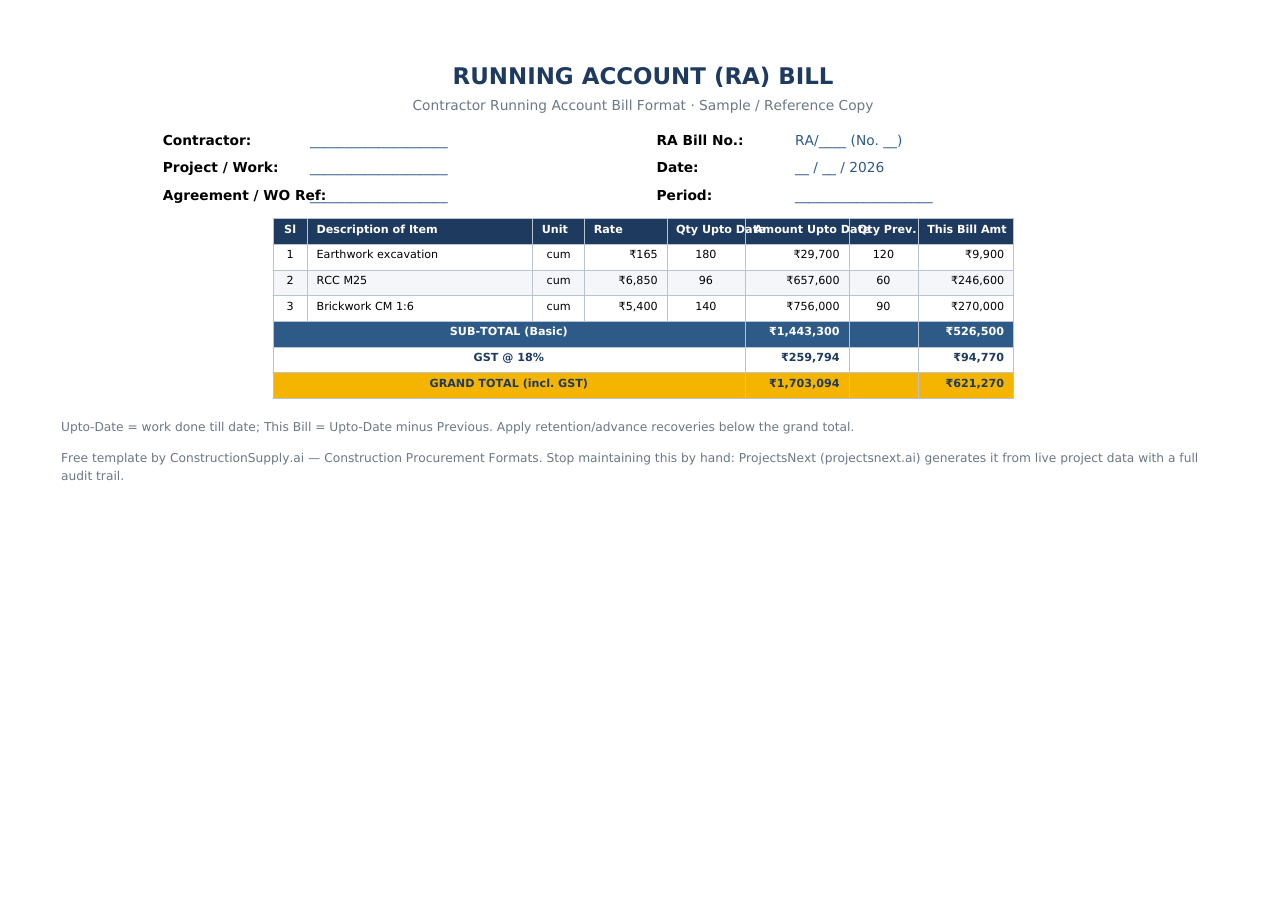
RA Bill format — sample
This-bill amount = up-to-date minus previously billed, computed automatically:
| Sl | Description of Item | Unit | Rate | Qty Upto Date | Amount Upto Date | Qty Prev. | This Bill Amt |
|---|---|---|---|---|---|---|---|
| 1 | Earthwork excavation | cum | ₹165 | 180 | ₹29,700 | 120 | ₹9,900 |
| 2 | RCC M25 | cum | ₹6,850 | 96 | ₹657,600 | 60 | ₹246,600 |
| 3 | Brickwork CM 1:6 | cum | ₹5,400 | 140 | ₹756,000 | 90 | ₹270,000 |
| SUB-TOTAL (Basic) | ₹1,443,300 | ₹526,500 | |||||
| GRAND TOTAL (incl. 18% GST) | ₹1,703,094 | ₹621,270 | |||||
What to include
- RA bill header — contractor, RA bill number, project, agreement/WO reference, period.
- Description & unit — work item.
- Rate & Qty up-to-date — cumulative quantity executed.
- Amount up-to-date — auto-calculated.
- Qty previous & this bill — this bill = (up-to-date − previous) × rate.
How to prepare it (step by step)
- Fill the contractor, RA bill number and period.
- Enter each item's rate and cumulative quantity executed (from the measurement book).
- Enter the previously-billed quantity.
- This-bill amounts calculate automatically.
- Apply retention/advance recoveries and submit for certification.
Manual RA bills lose the thread to the MB and retention ledger. ProjectsNext generates RA bills from measurements, tracks retention and advances, and certifies with an audit trail.
See procurement in ProjectsNext →Frequently asked questions
A running-account bill layout showing up-to-date and previous quantities, with the current bill paying the difference.
For each item: (up-to-date quantity − previously billed quantity) × rate; sum, then recover retention/advance.
Download the template, enter rate, up-to-date and previous quantities; the this-bill amount calculates automatically.
Yes — Excel and PDF, free and editable.
More construction procurement formats: all templates · Comparative Statement · Purchase Order · RFQ · BOQ.